The LayoutEditor
No one feature makes the LayoutEditor unique. There are many small things which make the LayoutEditor different from other programs and turns it to a distinctively versatile tool when editing layouts for IC, MEMS, MCM, PCB, COB, MMIC, LTCC, ... Prepare to be impressed!
User Interface
|
|
|
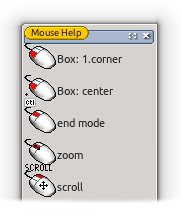 A cleverly worked out user interface provides outstanding usability on the one hand and high productivity on the other. This virtual challenge is solved by the extensive use of shortcuts and mouse button/key combinations together with clear display of these combinations. The most important handling functions like zooming and scrolling are integrated into each feature and need not be called up separately.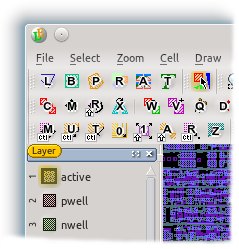
Supported File Formats
The LayoutEditor does not need a own file format. The Calma GDSII file format is used as the primary file format. It also works natively with many other common and also some uncommon formats:
GDSII, OASIS, OpenAccess, CIF, DXF, Gerber, LEF, DEF, SVG, Lasi, SOURCE, CSV, PNG, JPG, Alliance, Electromask, PS, EPS, ODB++, EDIF, Qucs, Spice, ...
Performance
As designs can extend to several Gb in file size, perfomance is an important factor. All significant features of the LayoutEditor are optimized to handle huge designs. So for example multi Gb GDSII files can be loaded in seconds. Also the painting performance is excellent and can easily compete with any other tool. Medium sized designs (up to several hundred MB of GDS file size, exact size may depend on the design) can be painted with all details in real time. With bigger designs a lack of performance is automatically detected and scarcely visible details are omitted. So even huge designs are painted with a acceptable performance.
Schematic Driven Layout
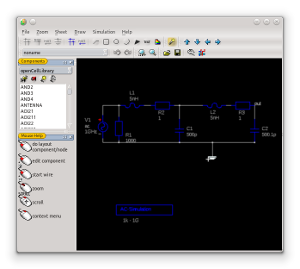
Creating a design from a schematic is a widespread task where layout software is used. The LayoutEditor includes a SchematicEditor and can also read common schematic/netlist formats. The schematic is linked with the layout. That integrating allows a simple layout creating without restricting a free custom design. A netlist can be extracted from the layout for a build-in or external layout versus schematic (lvs). Or it can be used to simulate the circuit. |
|
Macros
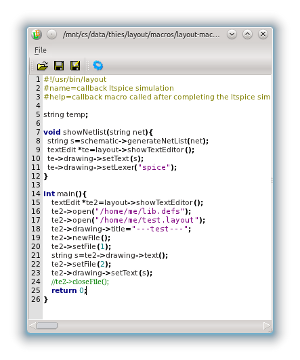
As a matter of course macros or scripts are possible with the LayoutEditor. It can be used for different applications. So, with the LayoutEditor it is possible to record macros from the user interface like some office programs can do. This makes creating macros very simple and reduces the time to learn programming a lot. Macros are written in the most common language C/C++. Macros can be added in the menu structure for a perfect integration of own created extension. A wide range of ready to use macros can be download at our macro market. Via LayoutEditor python module you can embed the LayoutEditor as a off screen tool or with its graphical user interface in your own Python application. |
|
Design Rule Checker
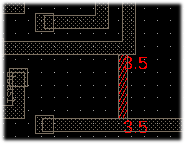
Validating the design rules is an important point in the design flow. The LayoutEditor has a integrated Design Rule Checker with many different rules checks. The violations are not only display in a list, but directly visualized within the design. As a matter of course all design rule checks work on all angle elements and is not limited to common Integrated Circuit checks. |
|
Text Generation
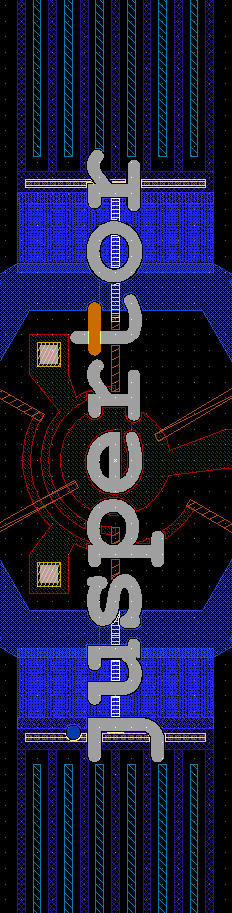
Text labels are usually ignored during the tape out. A conversion to real polygons had to be done before. The LayoutEditor can do this with just one mouse click. No drawing of letters is required. Just use your favorite vector font. The LayoutEditor supports all common font formats like common true type fonts (ttf files). |
|

3D View
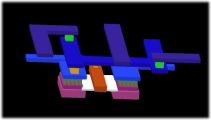
A two dimensional designing can sometimes be quit abstract. The LayoutEditor allows a fast three dimensional visualization for your design. A setup can be done in few seconds. The 3D model/3D view can be exported and used for example for a FEM-analysis. |
|

Background Images
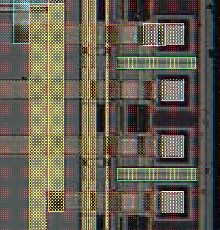
A image at the background of the design can be useful for many tasks. e.g. checking fabrication problems or designing a device on an existing structure. The LayoutEditor has the feature to load, place and vectorize images and display it in the background. Any pixel graphic format can be used. Unlimited images can be loaded concurrently. |
|
Barcodes and more
The LayoutEditor has many many more useful features like the barcode generator. Please consult the manual for a list of all features or just try it out and be impressed! |
|
Still anything missing? No problem! New ideas to improve the LayoutEditor are always welcome! Please leave a note or contact: ideas@layouteditor.net |