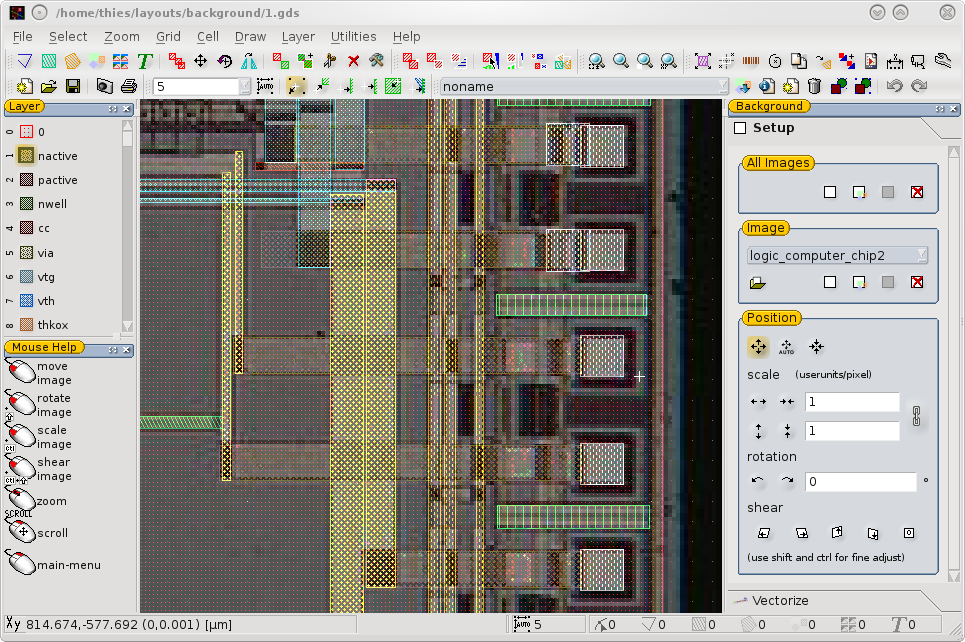
Background Images
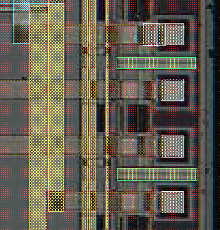 An image at the background of the design can be useful for many tasks. e.g. checking fabrication problems or for connecting nano-tubes, designing a device for an existing structured substrate. The LayoutEditor has the feature to load, place and vectorize images in the background of the design. Any pixel graphic format can be used. Unlimited images can be loaded concurrently. Also live images can be used as background.
Description
To start with background images, go to the misc menu within the utilities menu. The item, SetBackgroundImage, will open a file dialog to choose an image. Afterwards, a docking window will be displayed with all of the available image placement options.
Placing
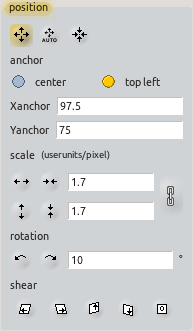 There are three possible ways to place an image. The mouse can be used to move, scale or rotate an image while in the placing mode. A value can be entered via the dialog box, the CommandLine, or by using the AutoAdjustBackgroundMode.
Visibility
By default, the background image will only be displayed in one cell; this is the cell being shown when the image was opened. This default condition can be changed at any time within the docking window. An image can be made visible for all cells or it can even made completely invisible.
Also the display mode of the background images can be set. An image can be displayed in the background, in front of the design or mixed with the shapes. This setting is global for an display images. The transparency of the image can be set individual for each image. This is done the a slider inside the dock.
Vectorization
Vectorization of background images can be performed. Please see VectorizeImages for the different methods of vectorizing an image.
Example