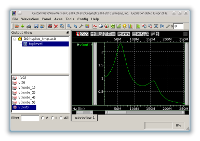

Simulation with the SchematicEditor
The ability to generate any kind of text based netlists together with the macro feature makes it possible to integrate simulators into the user interface. This integration can simply be done by writing a short macro and adding it to the main menu of the SchematicEditor. For the most common simulators such a macro is shipped with the SchematicEditor and already added to the default main menu. The macro file itself is located in the macro folder and can be adjusted with the included TextEditor. The exact location of the macro folder depends on your platform (e.g. "/usr/share/layout" on most Linux system, under "Program Files/layout" on Windows and in the LayoutEditor application folder on Mac OS X). A macro set for these simulators is included:
LTspice
LTspice IV is a free high performance Spice III from Linear Technology. It is porgrammed for Microsoft Windows, but works well under Linux using Wine. It is shipped with a installer and will by default installed on drive C: in the Program Files folder. If you don't have changed this default path you can run the shipped LTspice macros without any setup. If you have installed it in a different location, please adjust the line f.filename="/your/LTspice/path"; of the macros. Please see the comments in the macros for further instructions. |
|
See also: LTSpice, LTSpiceLibrary |
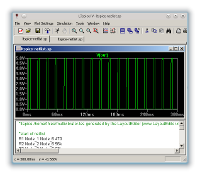
ngspice
Ngspice is a mixed-level/mixed-signal circuit simulator. Its code is based on three open source software packages: Spice3f5, Cider1b1 and Xspice. The simulator is GPL licensed and runs on most platforms. It is shipped as source code, but there are binary packages for Microsoft Windows and it is included in some Linux distributions. If it is shipped with your distribution the shipped macros will run without any adjustments. Also it will run on Windows without adjustment, if you uncompress it in the same folder lever like your LayoutEditor installation (see below). Please check the file permissions, if you install it in the 'Program Files' folder. In all other cases you need to adjust the macro to your installation path. Three macro for ngspice are shipped: trigger the simulation with wave form viewer, trigger the simulation with text output and view only the ngspice netlist. You will find these macros at the menu item Utilities of the SchematicEditor and TextEditor. |
|
|
|
See also: ngspice |
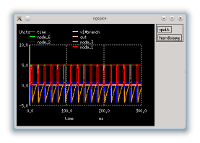
Qucs
Analog to LTspice and ngspice there are tree macros to trigger a Qucs simulation: trigger the simulation with wave form viewer, trigger the simulation with text output and view only the ngspice netlist. You will find these macros at the menu item Utilities of the SchematicEditor. In most cases you need to adjust a path in the macro to use it. Please see the comments inside the macro files for further instruction on adjusting the path. |
|
See also: Qucs , QucsLibrary |
HSPICE
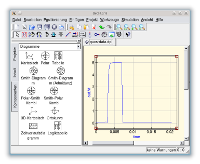
The HSpice simulation works analog to the Qucs and LTspice simulation. The macro expects the hspice installation at /opt/synopsys/hspice/suse32/hspice. If you use an other installation location, please adjust the macro. Also the enviourment variable SNPSLMD_LICENSE_FILE had to be set to get the license key. Two macros are shipped for HSpice: one will show the netlist and the other will trigger the simulation and start the custom wave form viewer afterwards. |
|
See also: SimulationWithHSPice |
|